AI Symptom Tracking Journal: Simple Setup + Weekly Summary
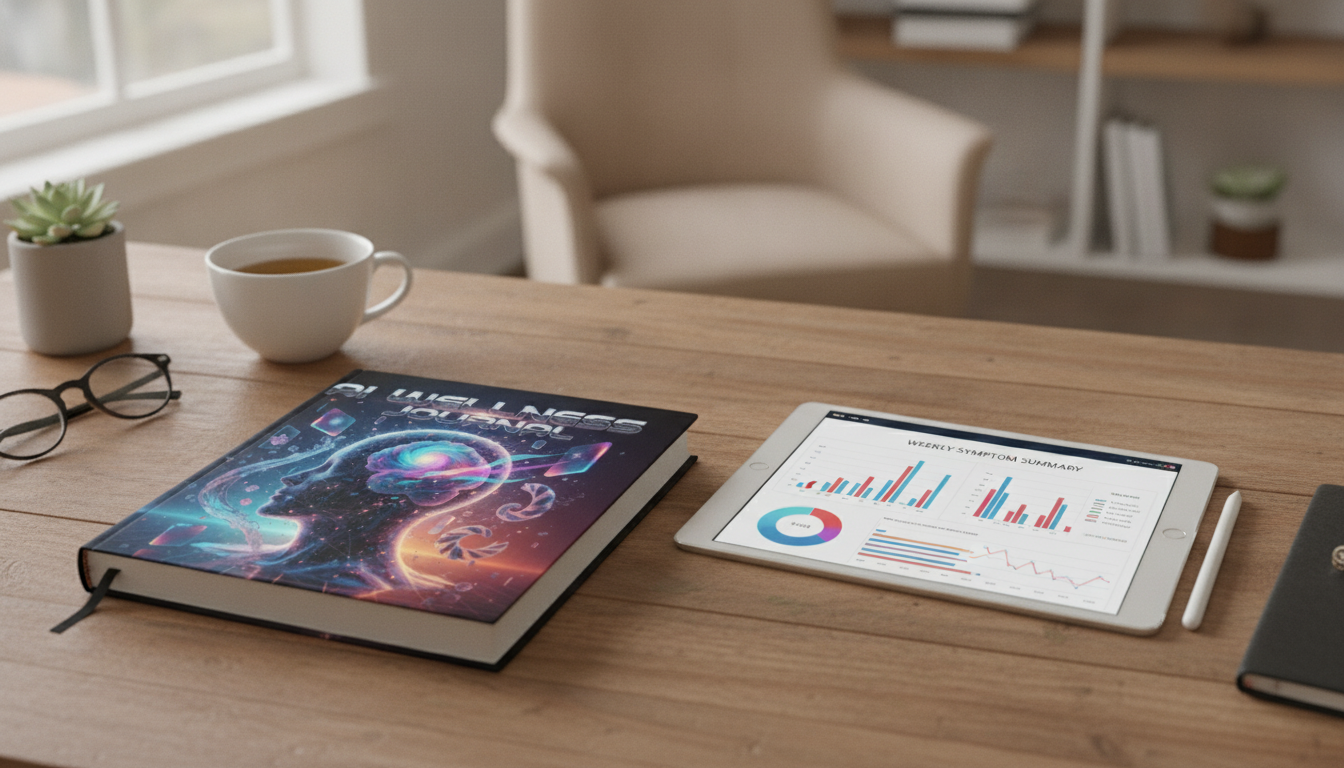
AI Wellness Journal for Symptom Tracking: A Practical Digital Plan
Noticing patterns in headaches, fatigue, digestion, mood, sleep, or flare-ups is hard when notes are scattered across texts, calendars, and half-finished app entries. An AI-assisted wellness journal brings structure to daily symptom logs, helps summarize trends, and makes it easier to share clear timelines with a clinician. Below is a simple setup, what to track, and a repeatable routine that stays realistic on busy days.
What an AI-assisted wellness journal does (and what it doesn’t)
Used well, an AI-assisted journal acts like an organizer for your observations. It can take inconsistent daily notes and turn them into consistent entries that include symptoms, timing, severity, likely triggers, and what helped. Over time, it can generate weekly summaries that highlight what showed up most often, when symptoms peaked, and which context factors (sleep, stress, food, cycle, exercise) appear alongside changes.
It can also help you prepare for appointments by drafting a question list—what changed, what’s unclear, and what data you’re missing. What it can’t do is diagnose or replace medical advice. Think of it as a structured mirror for your day-to-day experience, designed to support observation, organization, and communication.
The best results come from pairing AI summaries with a steady logging routine and a small, consistent set of tracked variables.
Set up your tracking system in 15 minutes
Start by choosing one “home” for entries: a notes app, a simple spreadsheet, or templates inside a dedicated digital journal. The goal is not perfection—it’s consistency. Define a minimum daily entry that takes about two minutes: the main symptom(s), a 0–10 severity score, and one likely trigger or context (for example: skipped lunch, stressful call, workout, travel, late bedtime).
If you can add two optional fields, choose sleep (quality/duration) and stress (low/medium/high). These are common drivers of symptom intensity and are easy to capture quickly.
Finally, standardize symptom names so AI can group entries correctly. Use one label per symptom (for example “migraine” instead of rotating between “head hurts,” “bad headache,” and “head pain”).
Minimum vs. Expanded Symptom Log Fields
| Field | Minimum Daily | Expanded (when time allows) | Example Entry |
|---|---|---|---|
| Symptom | Yes | Yes | Nausea |
| Severity (0–10) | Yes | Yes | 6/10 |
| Start/End time | Optional | Yes | Started 3:30pm, eased 5:00pm |
| Location/Type | No | Optional | Upper abdomen, cramping |
| Context/Trigger | Yes | Yes | Skipped breakfast; high stress meeting |
| Food/Drink | No | Optional | Coffee at 2pm |
| Sleep | Optional | Yes | 6h, restless |
| Medication/Supplement | No | Optional | Ibuprofen 200mg at 4pm |
| Relief actions | No | Optional | Hydration + rest helped |
Daily logging workflow that stays sustainable
A sustainable routine beats a detailed one that collapses after three days. A simple approach is “two passes.” First, do a quick capture in the moment (one sentence is enough). Second, do a short end-of-day cleanup where you clarify timing, add severity, and standardize symptom names.
Write in plain language first, then let AI convert it into structured bullet points and tags. For example: “Felt dizzy after skipping lunch; improved after eating” can be turned into “Dizziness (5/10), 1:30pm–2:15pm; trigger: skipped meal; relief: snack + water.”
Keep severity consistent by setting anchors that match your life. For instance: 3 = noticeable but you can function; 7 = limits normal tasks; 9–10 = severe enough that you can’t do usual activities. If nothing happened, log “baseline” with sleep, stress, and energy—those quiet days are crucial for pattern detection.
To avoid data overload, track no more than 6–8 variables at once for the first two weeks.
How to use AI to summarize patterns without overinterpreting
Weekly reviews are where AI can save serious time. A practical weekly request is: identify top symptoms, common time windows, and three potential contributing factors based on the fields you tracked (sleep, stress, food, activity). Then ask for uncertainty labeling—“possible,” “weak,” or “needs more data”—instead of definitive claims.
Look for repeatable patterns across at least 2–3 weeks before changing routines drastically. One unusual day can skew conclusions, especially if sleep, travel, illness exposure, or schedule changes were involved.
For appointments, generate clinician-friendly outputs: a one-page timeline, a short list of what improved or worsened (and when), and a note about what you didn’t track consistently. If you want your logs to be more useful next week, ask AI to spot missing data: which fields were inconsistent or unclear, and what a simpler minimum entry should be.
For symptom references and guidance on when to seek care, use authoritative sources such as NIH MedlinePlus, the Mayo Clinic Symptom Checker, and the CDC symptom guidance.
Privacy and safety basics for health journaling tools
A simple 7-day symptom logging plan to get started
Digital guide and planner option
- AI Wellness Journal: Harnessing Artificial Intelligence to Track Your Health Symptoms | Digital Guide for How to Use AI to Log Health Symptoms, eBook for Personal Health Tracking, Symptom Logging Planner
- The Ultimate Guide to Using AI Like a Pro | Learn How to Use ChatGPT Effectively | Digital Download eBook for Beginners & Creators
- Clear Mind, Clear Space | Digital Guide on How to Use AI to Declutter Your Space | Minimalist Home & Productivity eBook for Calm and Focus
FAQ
What should be included in a symptom log?
Cover the basics: symptom, severity, timing, context/trigger, and what helped. Add optional fields like sleep, stress, food/caffeine, activity, and medications when they’re relevant and easy to capture consistently.
How often should symptoms be logged for useful patterns?
Aim for daily baseline entries plus quick notes when symptoms occur. Weekly summaries become more reliable after about 2–3 weeks of consistent tracking.
Can AI tell what’s causing my symptoms?
AI can highlight patterns and correlations in your notes, but it can’t confirm medical causes. Use the summaries to support clearer conversations with a licensed clinician.





Leave a comment